Export Crypto Invoice Data to QuickBooks and Xero
Export crypto invoice payments to QuickBooks and Xero: CSV fields, API sync, tax mapping, USDC reconciliation, and month-end close workflows with Settlematic.
Do this next
Create a crypto invoice
- Quote the invoice in fiat.
- Client pays USDC, USDT, or EURC.
- Funds settle to a wallet you already control.
TL;DR
Export crypto invoice data to QuickBooks and Xero by mapping on-chain payment fields—invoice number, date, USD amount, token, network, tx hash—to bank deposit or journal entries. Settlematic provides CSV exports and API access; use consistent chart-of-accounts mapping for USDC as a bank-equivalent asset or via crypto-specific accounts. Reconcile monthly against blockchain records per IRS substantiation requirements.
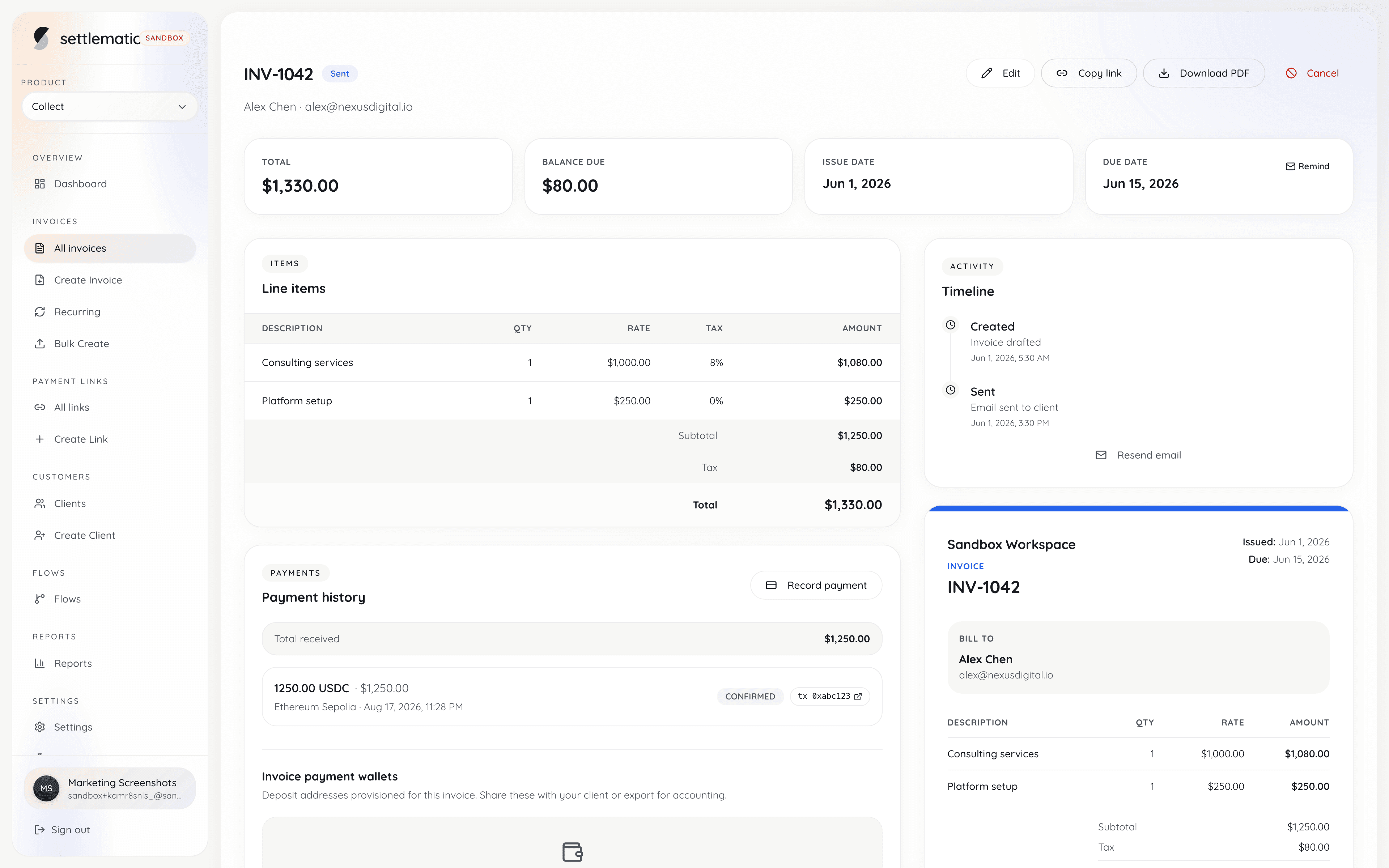
Exporting crypto invoice data to QuickBooks and Xero bridges the gap between on-chain settlement and double-entry bookkeeping that US and EU finance teams require for tax filing, investor reporting, and audit readiness. Unlike card payments that flow through merchant accounts with native integrations, crypto payments arrive as wallet transfers requiring you to record income, asset receipt, and optionally fees as manual or semi-automated journal entries—unless you implement a structured export pipeline from your invoicing platform.
Why Native Integrations Fall Short in 2026
QuickBooks Online has experimented with crypto features; Xero relies largely on third-party apps. Neither treats USDC on Solana identically to a Chase bank feed. Gaps include:
- No automatic tx hash storage in standard bank transaction fields
- Multi-chain USDC appearing as duplicate assets without network labels
- Fair market value timing for non-stablecoin receipts
- VAT line items on crypto-paid invoices for EU entities
A deliberate export schema from Settlematic Collect outperforms hoping for native wallet sync.
Essential Export Fields
Every crypto invoice export row should include:
| Field | Purpose | QuickBooks mapping | Xero mapping |
|---|---|---|---|
| invoice_number | AP matching | Invoice # reference | Invoice reference |
| invoice_date | Revenue recognition | Invoice date | Invoice date |
| paid_date | Cash basis receipt | Deposit date | Payment date |
| client_name | Customer record | Customer | Contact |
| fiat_amount | Functional currency | Amount received | Amount |
| fiat_currency | USD, EUR, etc. | Currency | Currency |
| crypto_amount | On-chain quantity | Memo / description | Description |
| token_symbol | USDC, ETH, etc. | Memo | Description |
| network | base, solana, ethereum | Memo | Description |
| tx_hash | Audit substantiation | Memo / attachment | Reference |
| payment_address | Reconciliation | Memo | Reference |
| fee_amount | Gas paid by merchant | Expense line | Bank charges |
CSV Export Workflow (Manual)
Suitable for low volume (<50 invoices/month):
- Log into Settlematic dashboard
- Filter invoices: status=paid, date range=reporting period
- Download CSV export
- Open QuickBooks or Xero import tool
- Map columns to import template
- Review exceptions: partial payments, wrong-chain flags
- Post deposits or apply payments to open invoices
Validate row count matches dashboard paid count before closing import.
QuickBooks Online: Step-by-Step
Chart of accounts setup
Create accounts:
- USDC Wallet - Solana (Bank type or Other Current Asset)
- USDC Wallet - Base (separate account per network if desired)
- Crypto Payment Fees (Expense)
- Sales Income (existing)
Consolidating USDC into one "Digital Assets" account simplifies reporting; separating by network aids month-end reconciliation.
Recording a payment against existing invoice
If you created the invoice in QuickBooks manually or via separate sync:
- Receive Payment on invoice
- Deposit to USDC Wallet account
- Paste tx hash in memo: SOL tx: 5xY9...
- Amount in USD at receipt FMV for stables = face value; for BTC/ETH use rate at confirmation time
Bank feed workaround
QuickBooks bank feeds do not connect to self-custody wallets natively. Treat CSV import as synthetic bank feed on schedule (weekly or monthly).
1099 reporting
US clients paying $600+ may trigger 1099-NEC. Customer records in QuickBooks must match legal names. Crypto payment method does not change 1099 obligation—track in vendor/customer profile notes.
IRS requires books substantiating income; tx hash in memo satisfies examiner requests for payment proof.
Xero: Step-by-Step
Account setup
- Bank account: "USDC Solana Wallet"
- Enable multi-currency if invoicing EUR clients paid in USDC
Import bank statement (CSV)
Xero bank statement import accepts Date, Amount, Payee, Reference, Description. Map:
- Reference → invoice_number
- Description → {token} on {network} tx:{hash}
Apply to invoices
Use "Find & Match" or "Create" to link imported lines to sales invoices. Unmatched lines land in reconciliation queue—resolve before month-end close.
VAT treatment (EU)
Xero tax rates apply to invoice lines created at invoice time, not at crypto payment import. Crypto export confirms payment received; VAT was determined on invoice issuance per get-paid-in-crypto-us-eu-clients guidance.
API and Middleware Integration
Higher volume teams connect Settlematic webhooks to middleware—see webhook-patterns-crypto-billing:
Benefits:
- Near-real-time books
- Reduced CSV manual errors
- Idempotent payment creation keyed on tx_hash
Tools: Zapier, Make, custom Node/Python workers, or Settlematic MCP for agent-assisted posting per settlematic-mcp-vs-dashboard-workflows.
Mapping Stablecoins vs Volatile Crypto
| Token type | USD amount source | Gain/loss |
|---|---|---|
| USDC, USDT, EURC | Invoice face value | None if peg held |
| BTC, ETH | FMV at confirmation | Potential if held post-receipt |
| Mixed partial stable + volatile | Split line items | Per token rules |
IRS treats crypto as property; stablecoin receipt at $1 USDC = $1 income is standard practice when peg is assumed. Document policy in accounting manual.
Multi-Chain Consolidation Reporting
CFO dashboard question: "How much USDC did we receive in Q2?" Export must aggregate across networks or report per-wallet accounts.
Approaches:
- Single USDC asset account with network in memo (simple)
- Per-network sub-accounts (granular reconciliation)
- External BI tool querying Settlematic API (scalable)
Reconciliation With On-Chain Truth
Export is not reconciliation. Monthly:
- Sum exported paid invoices by network
- Query wallet balance change via block explorer or indexer
- Investigate delta: unexported payments, internal transfers, wrong-chain deposits per crypto-invoice-paid-wrong-chain
- Sign off reconciliation worksheet
Error Handling in Export Pipelines
Common exceptions:
- Duplicate tx_hash — Skip import; idempotency key
- Partial payment — Do not close invoice in QB/Xero until fully paid
- Overpayment — Record credit note or unapplied payment
- Wrong chain — Hold in suspense account until resolved per recover-wrong-chain-crypto-invoice-payment
Audit Trail Best Practices
Store alongside accounting records:
- Original Settlematic CSV for period (immutable S3)
- PDF invoices sent to clients per custom-branding-crypto-invoices
- Block explorer screenshots for large transactions (optional)
- Webhook payload archive
Team Roles
| Role | Tool | Action |
|---|---|---|
| Billing | Settlematic dashboard | Create/send invoices |
| Finance | QB/Xero | Import and match |
| Engineering | Webhooks/API | Automate pipeline |
| Auditor | Export + tx hashes | Substantiate sample |
Scaling Considerations
At 500+ monthly paid invoices, CSV breaks down. Invest in:
- Automated webhook → accounting API
- Exception dashboard for failed syncs
- Dedicated crypto sub-ledger reconciling to GL
Review pricing for API rate limits; demo for enterprise export schemas.
Non-Custodial Advantage for Accounting
Custodial processors provide consolidated statements resembling bank feeds. Non-custodial invoicing via Settlematic requires export discipline but offers clearer tx-level audit trail—each payment maps to one invoice and one on-chain transaction without sweep aggregation obscuring origins.
QuickBooks Desktop vs Online for Crypto
QuickBooks Desktop (Enterprise) users import via IIF or third-party connectors—CSV mapping is similar to QBO but batch import UI differs. Mac vs Windows Desktop versions have incompatible file formats; standardize on one platform before building export templates. QuickBooks Online Advanced offers more API headroom for automated sync than Simple Start—evaluate plan tier if webhook automation posts hundreds of payments monthly. Desktop users often export monthly CSV manually; Online users graduate to API workers per webhook patterns.
Xero Multi-Entity and Consolidated Groups
Agencies with US and EU subsidiaries may run separate Xero organizations per entity. Settlematic organization per legal entity maps cleanly—do not commingle US and EU invoice exports in one Xero org without intercompany accounting rules. Consolidated reporting rolls up USDC received across entities at parent level using management reporting tools or Fathom/Spotlight external to Xero. EUR functional currency entities receiving USDC document ECB reference rate on payment date in export memo for transfer pricing audit trails.
Tax Season Preparation From Exports
January–April US tax season demands clean prior-year exports. Archive December 31 cut-off CSV with immutable timestamp before any January backdated invoice edits. Reconcile full year per month-end guide before providing totals to CPA. Common CPA requests: sum of crypto revenue by quarter, largest ten transactions with tx hashes, explanation of any wrong-chain suspense still open at year-end. Proactive export package reduces CPA billable hours sorting ad hoc wallet screenshots.
Automation Architecture Reference
Idempotency on tx_hash prevents duplicate QuickBooks payments when webhooks retry. Store qb_payment_id in Settlematic invoice metadata if API supports custom fields for bidirectional lookup.
Common Import Errors and Fixes
| Error | Cause | Fix |
|---|---|---|
| Duplicate deposit | Re-imported same CSV | Delete duplicate; enforce tx_hash unique constraint |
| Amount mismatch | Rounding in export | Use 2-decimal USD; document sub-cent crypto dust |
| Customer not found | Name spelling differs | Map client_id not display name in export |
| Wrong account | Chart of accounts drift | Lock COA mapping config in import script |
| Date off by one | UTC vs local timezone | Standardize export to UTC; document in import README |
Building a Monthly Export Calendar
Finance teams benefit from fixed export rhythm synchronized with month-end reconciliation:
| Day | Action |
|---|---|
| Month-end +1 | Download Settlematic paid CSV |
| Month-end +2 | Import to QuickBooks/Xero |
| Month-end +3 | Match exceptions |
| Month-end +5 | Controller sign-off |
Automate day +1 via scheduled dashboard export email or API cron. Consistency prevents "we'll catch up next month" backlog that compounds through tax season.
When your CPA requests "crypto schedule" at year-end, the cumulative CSV exports plus reconciliation sign-offs from each month constitute that schedule—no separate report needed if monthly discipline was maintained throughout the year.
Class Tracking and Project Accounting
Agencies billing multiple clients into separate QuickBooks classes or Xero tracking categories should include class or tracking_category in Settlematic export mapping. Crypto payments do not change class accounting rules—each paid invoice still allocates revenue to the correct project class. Mis-mapped class on crypto import is as harmful as mis-mapped fiat import; validate class field in first-month import test before automating webhook pipeline.
Retain exported CSV files for seven years aligned with IRS record retention guidance (generally seven years for income tax records). S3 lifecycle policies transitioning to Glacier after year one reduce storage cost while preserving audit readiness for non-custodial payment substantiation.
QuickBooks Online and Xero both support attachment uploads on bank transactions—attach block explorer PDF printout of tx hash for payments above your materiality threshold, giving auditors one-click substantiation without leaving accounting software.
NetSuite and ERP integration patterns
Mid-market merchants outgrow QuickBooks/Xero CSV imports. NetSuite integration via webhook middleware:
NetSuite native crypto modules remain limited in 2026 — treat USDC receipt as bank deposit analog to "Digital Asset Wallet" account. Custom fields on CustomerPayment store custbody_tx_hash for auditor queries.
| ERP | Integration maturity | Recommended approach |
|---|---|---|
| QuickBooks Online | CSV + growing API | CSV <100/mo; API above |
| Xero | CSV + bank import | CSV primary |
| NetSuite | Custom fields + REST | Webhook middleware |
| Sage Intacct | Partner apps | Evaluate crypto add-ons |
Engage ERP consultant for one-time field mapping — amortize over years of exports.
Auditor preparation package
Prepare annual auditor request proactively:
- Full-year Settlematic paid invoice export (CSV)
- Reconciliation sign-off worksheets per month
- Wallet balance screenshots Dec 31 per network
- Sample of 25 tx hashes verified on explorers (stratified by size)
- Accounting policy memo: USDC = USD at receipt
- Wrong-chain incident log (if any) with resolution documentation
Auditors unfamiliar with crypto ask basic questions — tx hash proves payment more strongly than wire memo. Frame crypto as stronger audit trail, not exotic risk.
Handling amended and voided invoices post-export
Invoice voided after QuickBooks import requires reversing entry:
| Situation | Accounting action |
|---|---|
| Void before payment | Delete QBO invoice; no payment import |
| Void after payment imported | Reverse payment; credit note |
| Amount amended pre-payment | Void and reissue; new invoice number |
| Partial payment then void remainder | Apply partial; credit note balance |
Never reuse invoice numbers — sequential gapless numbering simplifies audit. Export status field distinguishes void from open.
Multi-period correction workflows
Discovered in March that January payment imported twice:
- Identify duplicate via tx_hash unique constraint.
- Delete duplicate QBO deposit (with controller approval).
- Document correction in reconciliation memo.
- Re-export January if platform data changed.
Idempotent import scripts prevent recurrence — enforce tx_hash as unique key in import worker database table.
Automating recurring import schedules with API workers
Manual CSV download breaks down above seventy-five paid invoices monthly. Automate export retrieval: scheduled job calls Settlematic API or receives email export attachment, validates row count against prior month variance threshold, then enqueues import worker. Worker maps columns to QuickBooks OAuth payment endpoint with tx_hash idempotency key — duplicate webhook retry and duplicate import attempt both safely no-op.
Schedule automation for month-end plus one business day UTC to capture late timezone payments on final calendar day. Store raw CSV in S3 with object lock before transformation — original export is audit artifact if QuickBooks data later corrupted. Alert finance if automated import fails twice consecutively; do not silently skip month. Test automation monthly in sandbox QuickBooks company before production run — OAuth token refresh failures are most common production breakage.
Version-control import mapping configuration in Git alongside application code. Column rename in platform export without updating mapping script causes silent mis-posting — CI test against frozen sample CSV catches drift. Finance reviews first automated import each quarter manually before granting full unattended operation.
Controller sign-off checklist before period close
Controller or CFO should sign reconciliation package before books locked, regardless of import automation level. Checklist: paid invoice export row count matches dashboard paid count for period; sum of fiat amounts ties to revenue recognition schedule; no open invoices have on-chain payments not in export; wallet balance tie-out completed per month-end reconciliation; all exceptions documented with resolution; duplicate tx_hash check returned zero rows.
Sign-off format: name, date, period covered, exception count, materiality assessment. Attach sign-off PDF to month folder alongside CSV export and reconciliation worksheet. Auditors request twelve consecutive months during first crypto AR audit — missing sign-off for March undermines credibility of automated pipeline praised in January deck. Controller unfamiliar with crypto should complete one manual CSV import before approving automated workflow — understanding manual steps makes exception review meaningful.
Escalate to external CPA when cumulative crypto revenue exceeds prior-year threshold requiring audited financials — automated import does not replace professional judgment on revenue recognition policy changes mid-year.
Archive import worker logs alongside CSV — debugging "payment missing in QuickBooks" almost always traces to silent worker failure, not export data gap.
Frequently asked questions
- Does QuickBooks support crypto natively?
- Limited. CSV import and third-party apps remain primary path for self-custody USDC in 2026.
- Which Xero plan do I need?
- Any plan with bank reconciliation and CSV import suffices.
- Can I export unpaid invoices?
- Yes—for AR aging reports. Payment export focuses on paid status for cash recording.
- How do I handle invoice currency EUR, payment USDC?
- Record EUR invoice in Xero; payment applied at EUR amount with USDC noted in description. FX difference minimal for EURC; document for USDC.
- Will Settlematic export include gas fees?
- Merchant-paid gas appears if tracked; client-paid gas typically excluded from invoice amount.
- What about tokenized invoice solutions?
- On-chain invoice NFTs require additional metadata export fields—contact enterprise support.